Posts filed under Pencil Reviews

First Look: Titanium Mechanical Pencil

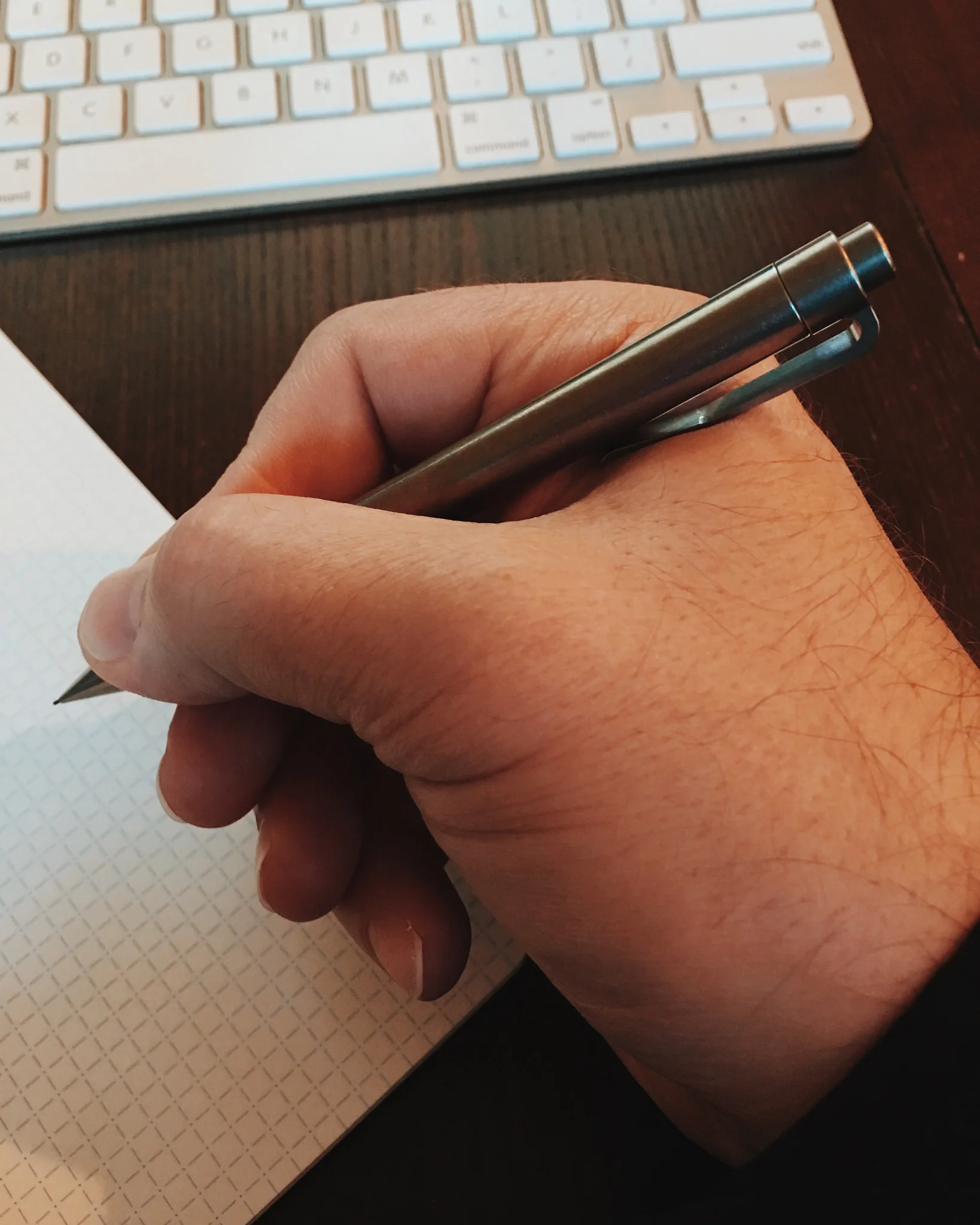
I have had the Titanium Mechanical Pencil in my hands for a few weeks now thanks to the team at Cogent Industries, and have found this pencil to be extremely hard to review. It’s not because it isn’t a good pencil, it’s engineered to very high standards, but there are a few things that are keeping me from backing this pencil myself.

There is no doubt this is a high quality titanium pencil. The manufacturing quality is as nice as I have seen on any Kickstarter project, and Magnus Macdonald, the project creator, clearly knows what he is doing. The design is clean, the tolerances are tight, and the finishing is perfect. It’s extremely well done.

That said, I can’t use it regularly. The primary issue is with the clip. First off, there is a sizeable gap between the clip end and the barrel. That may allow it to clip well on thick fabric like jeans, but shirts and thinner materials are a no go. It slides all over. You are going to have a hard time bending the thick titanium too. The Titanium Pen Magnus offers uses the same design, so this is a design choice.

Secondly, and the more serious issue, is that the clip bulge hits your hand in an uncomfortable way. I don’t know anyone who doesn’t twist the pencil in their hand when writing (aside from the Kuru Toga of course), and when you rotate the Titanium Menchanical Pencil you are going to run into the protruding clip frequently. It’s a completely different pencil when the clip is in the top position as opposed to the bottom position digging into your hand. You can get away with this on a pen, but not on a mechanical pencil.

I’m not a huge fan of the short end cap in use on this design either. Aesthtically it is fine, but functionally, like when removing it to add lead, it is hard to grip and pull off. Luckily, you don’t have to change lead that often.

If you can overlook these issues, the is one final hurdle to clear: The price. $129 is too much for me to pay for a pencil that isn’t a game changer. The Titanium Mechanical Pencil is not for me, but 433 backers at the time of this writing are all aboard. Give me the Rotring 600 for 1/4th the price every time.

(Cogent Industries provided this product at no charge to The Pen Addict for review purposes.)

Posted on December 21, 2015 and filed under Kickstarter, Pencil Reviews, Mechanical Pencil.

Apple Pencil Review

(This is a guest post by Myke Hurley. You can find more of Myke's work at Relay FM and can follow him on Twitter @imyke.)

In all of the press shots and in all of the reviews, the focus of the Apple Pencil is on how amazing it is for artists to draw and create beautiful graphics, but this isn't what I was interested in when Apple announced the Pencil. Sure, I like to doodle and scribble as much as the next person, but all I wanted to know was if the Apple Pencil would give me the digital handwriting experience I had wanted for so long.

TL;DR: It does. But more on that shortly.

When Apple released the Pencil, I couldn't understand why they didn't choose to call it the 'Apple Pen'. The latter is a more elegant sounding name, and considering that there's no way to use the end of the Apple Pencil as an eraser — there's no extra button or sensor here, just the one at the tip — it felt like it fit more as a product name.

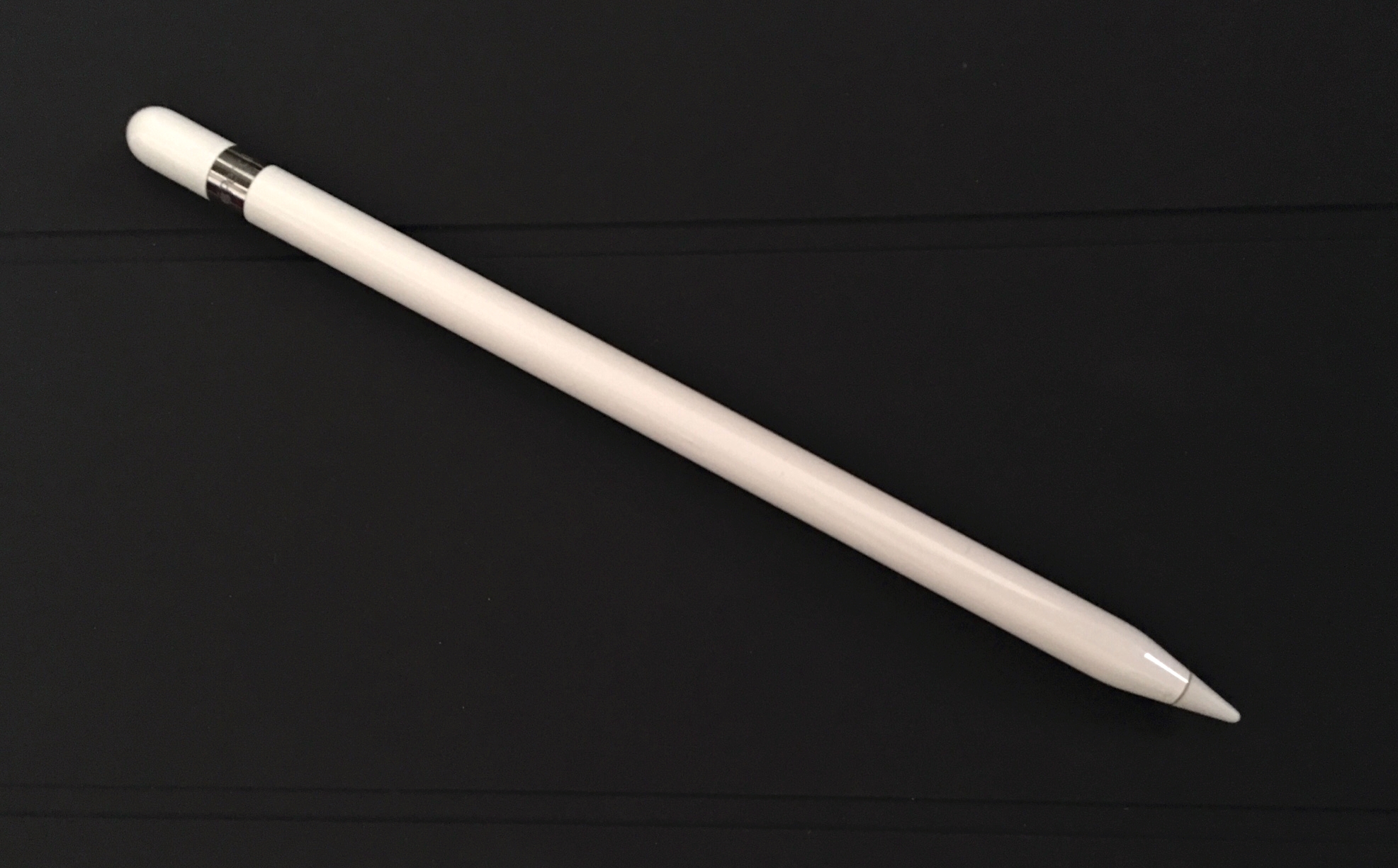
As soon as I took this product out of its box I knew why. The Pencil is long, slender and thin. It looks and feels a lot like a Pencil, and if the design came before the name, then 'Pencil' is the clear choice.

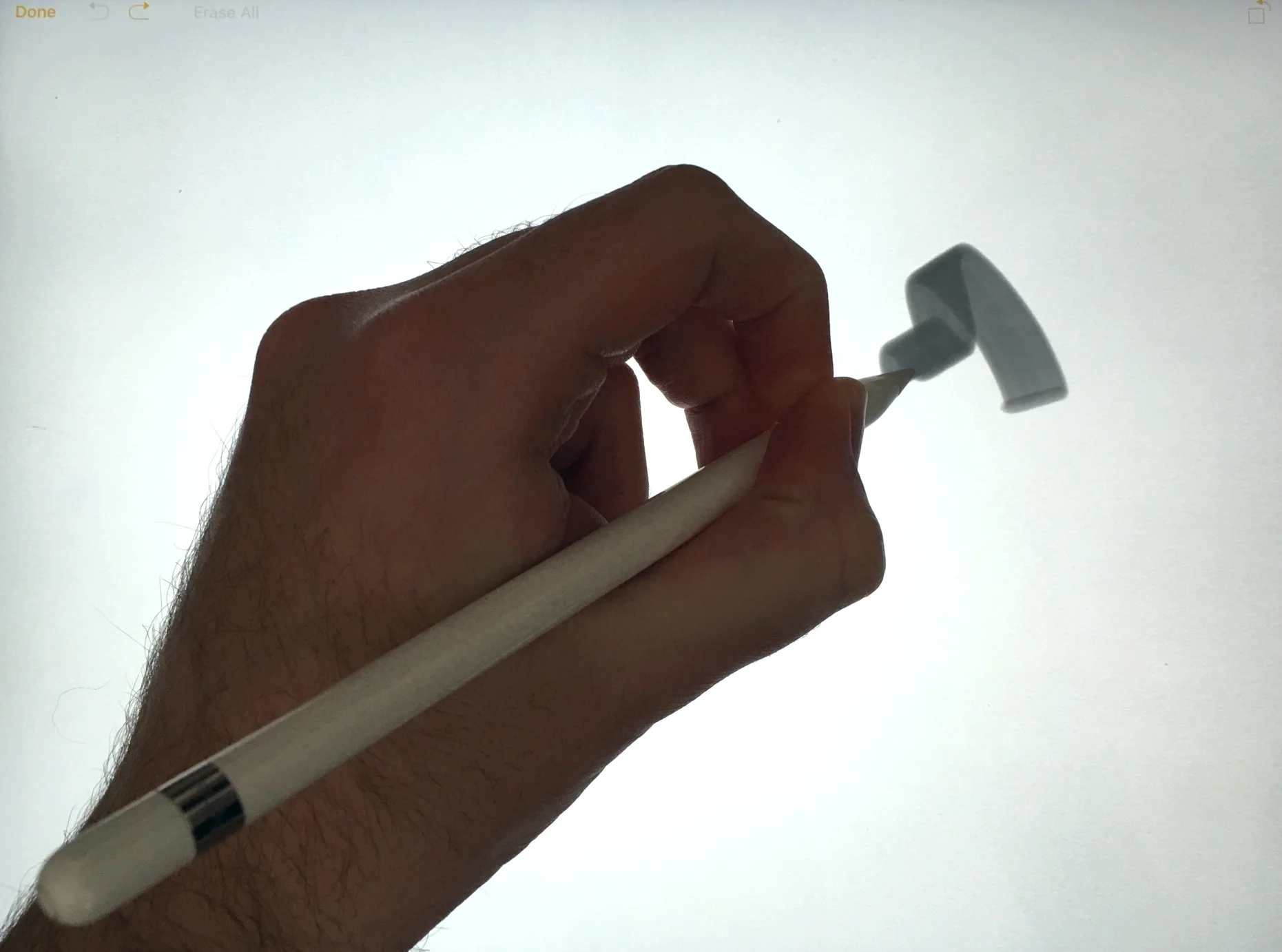
Some of my friends that have used the Pencil said that they found it to be slippery to hold. This isn't the case for me; I find the plastic material that the Pencil is made of to be comfortable, and I am able to grip it with my fingers easily. It also warms to the touch after being used for a short period of time, which pleases me.

The Pencil is heavier than I imagined it would be. On the podcast, Brad and I constantly talk about how important weight and balance is in our writing instruments, and this has clearly been considered here. The Pencil is weighted fantastically. It feels great to hold; it feels substantial.

From what I can tell, the weights inside the Apple Pencil are there to solve two problems. They are magnetic, so this gives you the ability to place your Pencil on the edge of the iPad (where the magnets are for the Smart Cover to attach), and have it hold in place.

I should note that there is nowhere else to store the Pencil—neither inside the device, or in any of Apple's cases. This magnetic attachment is by no means a way to safely transport the Pencil, but it gives you somewhere to quickly place it if you need both hands free to type, or you just want to put it down at the end of the day.

The second issue these weights attempt to solve is to stop your Pencil rolling off your desk. The Pencil is completely cylindrical – there are no flat edges and no clip – so it's prone to fall victim to gravity and non-level work spaces. But with the weights inside the Pencil, as soon as you set it down, it rolls a little and then stops itself. The weights appear to have been designed to balance it and take over. In most instances this works out great, but I have observed that if you place the Pencil down with any force, say if it is not gently put down on a desk, but maybe dropped from a few inches (I love my implements, but I use them too...), the Pencil will likely roll a couple of times in the process.

When this happens the weights actually seem to give it momentum, and will propel it forward further and faster than it would have otherwise. Each time as the Pencil turns, it acts against itself as it is moving to quickly to balance, and on it goes, off the table.

In all honesty, I'm not sure that putting weights in the Pencil is the right way to solve this issue. Even Apple's own Marc Newson put a clip on his recent Mont Blanc pen which would stop this from happening. I wish Apple would have considered this when designing the Pencil.

One of the many things that have prevented people from being able to ditch their favourite notebook for an iPad and stylus is palm rejection. Many apps have tried to build their own implementations of this, with varying success, but it has always been an issue as the majority of previous styluses are just trying to fool iOS that they are fingers.

The Apple Pencil works differently. Because of a combination of Bluetooth and the fact that Apple designed the Pencil and the iPad Pro to work in conjunction with each other, the iPad Pro is able to accurately distinguish the difference between the Pencil tip and any touch input.

I have been astounded by just how well this works. I can have my arm, wrist, and other hand on the screen, and the iPad Pro can distinguish the movement of the Pencil over the movement of anything else. I am thoroughly impressed by this.
To really see what the Pencil is capable of, the best place to try it is in iOS' built-in Notes app. The drawing mode that you can activate only features a modest selection of tools and options, but is by far the most responsive experience. Using the Apple Pencil in Notes is the closest I have ever come to getting a true handwriting experience from a digital device.

To say there is no lag would be incorrect, but it is close enough to feel that it works. When you move the Pencil across the screen, most lines will travel ever so slightly behind it. But compared to previous experiences of using a stylus on a iPad, the difference is like night and day.

Let's face it, it is extremely unlikely that any digital experience is going to ever be able to replicate the feel of a pencil or a pen gliding across a piece of paper. The joy that we all feel when using our favourite combinations are unlikely to ever be matched by glass and plastic. But that's not what this product is about.

What I was looking for from the Apple Pencil was to be able to write naturally on the screen, in the size I usually write, and it visually match what I would expect to see.

And it does.

In my testing, I used the Notes app and two other apps—Notability and GoodNotes. With these I was able to freely write on the screen, at practically any size I wanted, and I got the results I would have normally expected from pen and paper. The Pencil was able to keep up with me, and I was genuinely surprised at just how small it would let me write. Without a shadow of a doubt the Apple Pencil and the iPad Pro is a comparable and comfortable solution for digital note taking. I will definitely be using this going forward.

I also tried out a selection of drawing apps, just to see what the Pencil was capable of. I spent most of my time in Paper by FiftyThree, Adobe Photoshop Sketch, Procreate, Tayasui Sketches, and Zen Brush 2. The responsiveness of the Pencil really differed in each of these apps, with Paper by FiftyThree being the worst.

All of these apps boast some fantastic tools to create digital masterpieces, but also to create some quick diagrams or sketches to help illustrate a point you need to make. I'm yet to finally decide which of these apps I'll be keeping installed, but there's a tonne of great choices out there for this. I'll most likely keep the more simple of the tools, as this is more akin to the types of work I'll need them for.

The Apple Pencil isn't just recognised in writing and drawing apps. It can be used throughout iOS to interact with whatever you'd usually be touching. I have actually taken great joy in using the Pencil as a way to interact with apps, and treat the iPad Pro as a pen input device.

Selecting text using the iPad Pro is incredibly more precise than using a finger. I have a lot greater control about where to exactly drop the cursor, without having to press and hold to move it just one letter over. It's also a lot easier to drag the text selection cursors around too. The precise point of the Pencil tip is excellent for performing these kinds of actions on a daily basis.

I have been using the Pencil to scroll long lists, like in Tweetbot, and on occasion have used it to tap out a quick reply on the keyboard if the Pencil is already in my hand. I even installed the SwiftKey keyboard and quite enjoyed sliding the Pencil across the keyboard to type out words, instead of tapping each key. I would love to be able to use SwiftKey more, but Apple still has a lot of work to do on the fundamentals of how third party keyboards work, before I consider using one more seriously.

As a 1.0 product, I am astounded by just how well the Apple Pencil and iPad Pro work together. After only having used it for a few days, I am now at the point where I wouldn't want to go back. Being able to take quick notes or doodles whilst recording podcasts, having quick access to some sketching tools to mark up a document or screenshot, and having a new way to interact with iOS more precisely, has made the Pencil a must-have item in my toolkit.

I have recently switched to using a Wacom tablet to interact with my iMac, so I am becoming more and more used to operating computers in this way. But there is truly something to be said for being able to use the Pencil directly on iPad's screen, seeing the results happen almost immediately.

The work Apple has done to get the hardware and software in harmony to the point where this all works so flawlessly is astounding to me. The results I am able to achieve are just fantastic.

I have always been a pen guy. But now I'm a Pencil guy too.

Posted on November 23, 2015 and filed under Apple Pencil, Pencil Reviews.

Rotring 600 Drafting Pencil, A Lesson In Design

(Jeff Abbott is a regular contributor at The Pen Addict. You can find more from Jeff online at Draft Evolution and Twitter.)

The Pen Addict podcast has seen a lot of interest lately regarding pencils — both mechanical and wood case pencils. Because of this, I found myself browsing the mechanical pencils section one day in JetPens. I hadn't looked at mechanical pencils since I was in college at our local bookstore, which always had a nice selection of drafting pencils for the engineering classes. But, of all the cool pencils I acquired during college, I'd never seen something as beautiful and striking as the Rotring 600 Drafting Pencil. This seems like the exact pencil that draftsman would use daily in the course of his craft. It's always a bit sad to think that this craft has been largely replaced with computerized tools, but you can never completely do without paper.

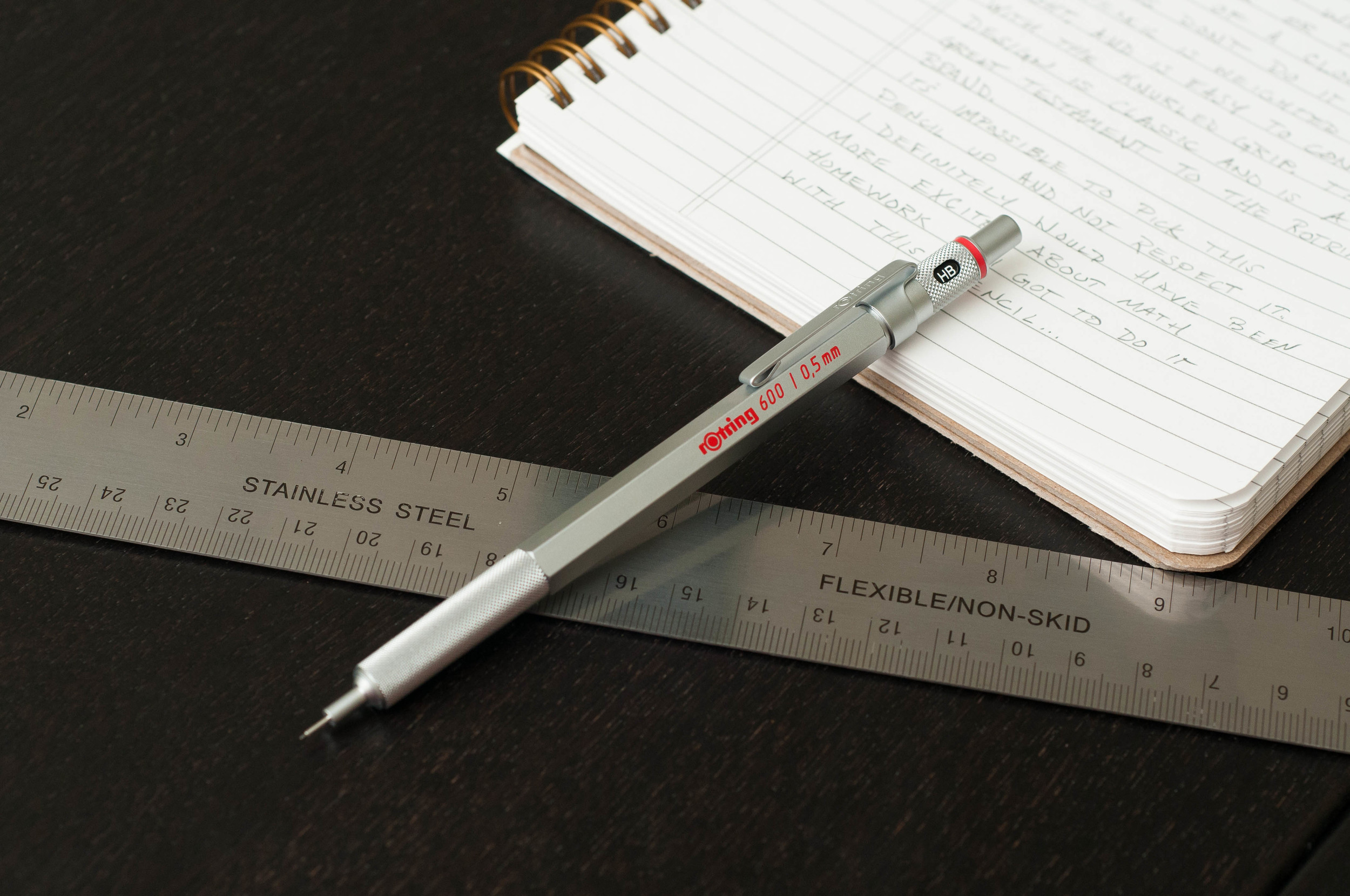
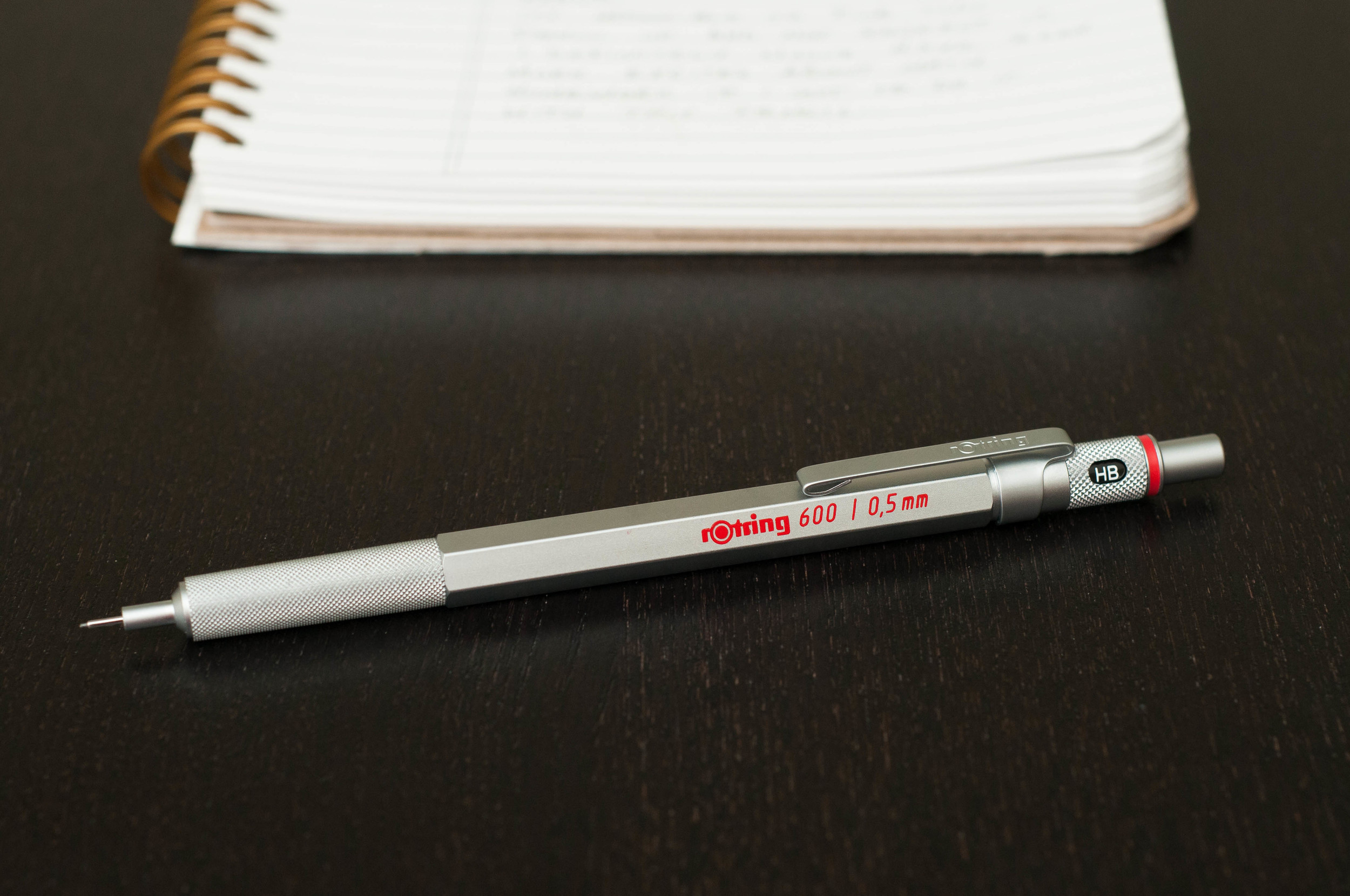
To call the 600's design timeless is a good place to start. It features the classic Rotring red ring and plenty of knurling and angled edges. This pen is not soft in appearance. It's a clean precision instrument, and it oozes industrial design aesthetic.

Appearance and feel

When you first pick up this pen, you'll notice the weight immediately. The insides are brass, which contribute to that weight. The second thing you'll notice is how much it feels like an instrument instead of a pencil. This isn't the pencil you used in high school trigonometry, or even Calculus III in college. This one is reserved for the professionals.

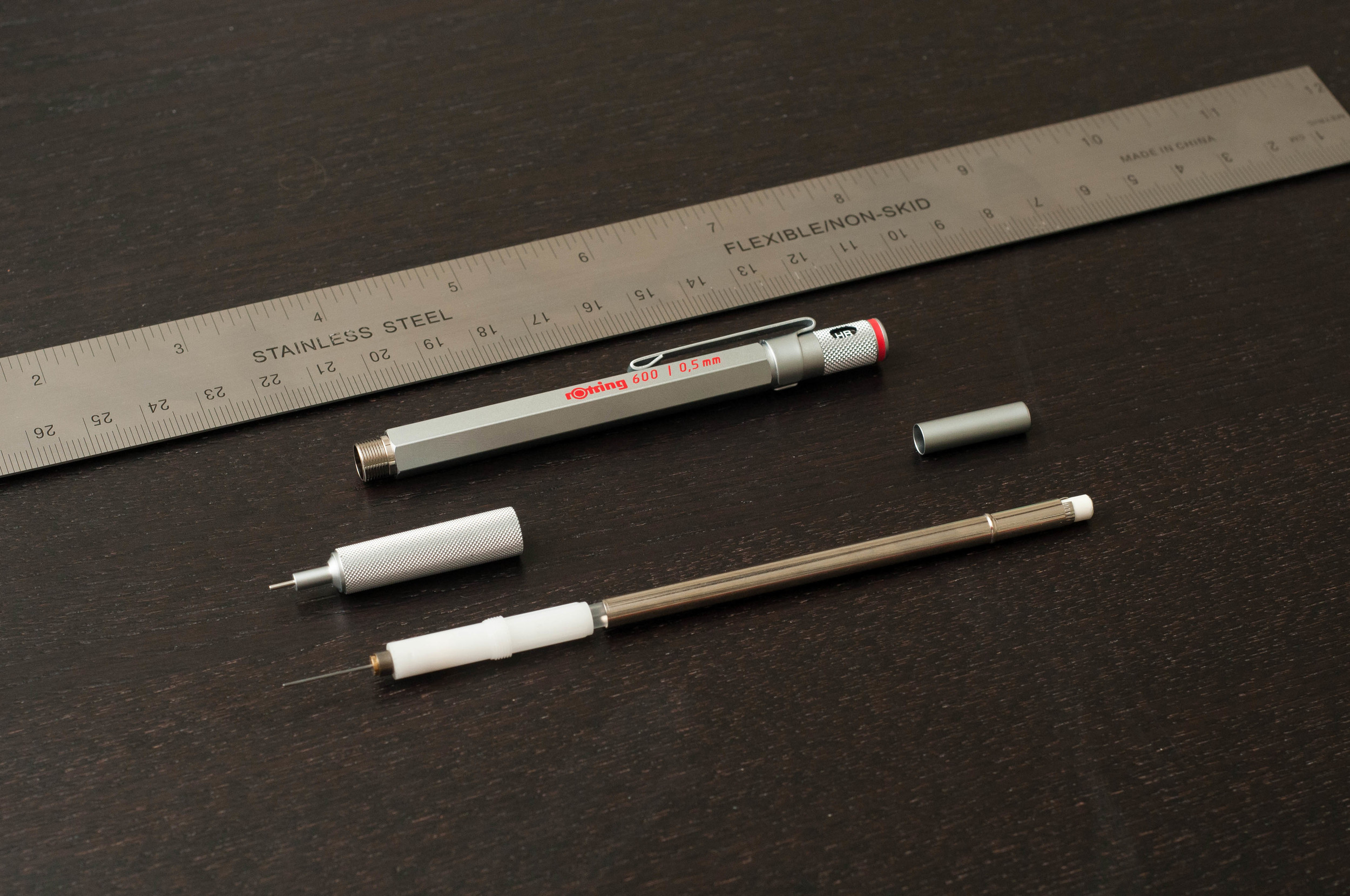
The barrel is hexagonal except for the knurled grip section, which is round. The cap comes off to reveal a small eraser, which can be removed to add more lead to the reservoir. The top of the pen features an indicator window (knurled, of course) that allows you to select what type of lead you currently have in the pen. I'm assuming that people who use these types of pencils in their work would probably have more than one, or might swap out different leads for different tasks. Thus, an indicator.

The tip of the pencil features a pipe to protect the lead and make it easier to use with a straight-edge. It reminds me of something you'd expect to see in a space ship.

Of course, there's a red ring between the lead indicator and the push cap, which is a signature Rotring feature. There's also some text one one side of the hexagonal body that reads, "rotring 600 / 0,5mm" (mine is a 0.5mm version) in red paint. Apart from that, the pencil is devoid of any branding. I believe the design of the pen is the branding, since you recognize it as a Rotring from any angle.

The clip is really strong, and I don't see there ever being an issue with the pencil coming unclipped. It's actually a bit difficult to clip onto something due to the strong resistance in the clip. Again, it feels industrial and serious.

Writing with the Rotring 600

Since this is a drafting pencil, it's more geared toward precise drawing, lettering, and use with other tools (like a straight-edge). As such, I don't really enjoy using it for normal writing. I'm sure other people wouldn't have any problem with this, but I certainly feel like I should be doing something like drawing, sketching, or lettering when I pick it up.

That said, the pencil is extremely easy to control since it has a knurled grip. The weight and balance is perfect and also makes it easy to control the pencil. Since it's a mechanical pencil, I find myself rotating the pencil a bit every other word to keep the sharp side of the lead on the page, which is something the Kuru-Toga aims to solve.

The included eraser in the cap is a joke, but that's the case in almost every mechanical pencil.

Conclusion

The Rotring 600 is a pencil that feels like an expensive tool for specific jobs. It's not a hammer, but a micrometer. It's an example of timeless design and looks good on any desk, whether or not it's used for drafting, lettering, or other artistic purposes. If you're a fan of mechanical pencils, you owe it to yourself to try one of these at some point. And, if you're not a fan, this one might convert you.

You can pick one up at JetPens in either black or silver and in 0.35mm, 0.5mm, and 0.7mm lead sizes.

Posted on November 18, 2015 and filed under Drafting Pencil, Pencil Reviews, Rotring.