My New Obsession: Bookbinding

My New Obsession: Bookbinding

(Susan M. Pigott is a fountain pen collector, pen and paperholic, photographer, and professor. You can find more from Susan on her blog Scribalishess.)

I've always wanted to be a "craft-y" person--you know, the kind who can draw, sew, scrapbook, knit, write calligraphy, and make all her Christmas gifts (and wrap and tags) by hand. But I'm just not that person. I try to draw, but my skills are childish, at best. I practice calligraphy, but not enough, so I don't see much improvement. I never learned to knit or sew or crochet or any of those sorts of things. But there's always been one craft I though I might be able to do: bookbinding.

I'm pretty sure what stimulated this long-lost desire in me was seeing the beautiful books created by Moneeza Khan at Lotus Blu Book Art. I was entranced, not only by the books, but by Moneeza's process of creating them. Her craft is prayer, and books are her devotions. I watched an unboxing of one of her books by Catharine Mi-Sook on Instagram (@catharinemisook), and every item communicates love and attention to detail.

While idly clicking through the Peg & Awl shop, I found their 6" Anselm Bookbinding Kit. I knew immediately that this was my entrée into bookbinding: a simple kit with good instructions and quality materials. I ordered it along with one of their Harper mini journals and a super adorable book necklace.
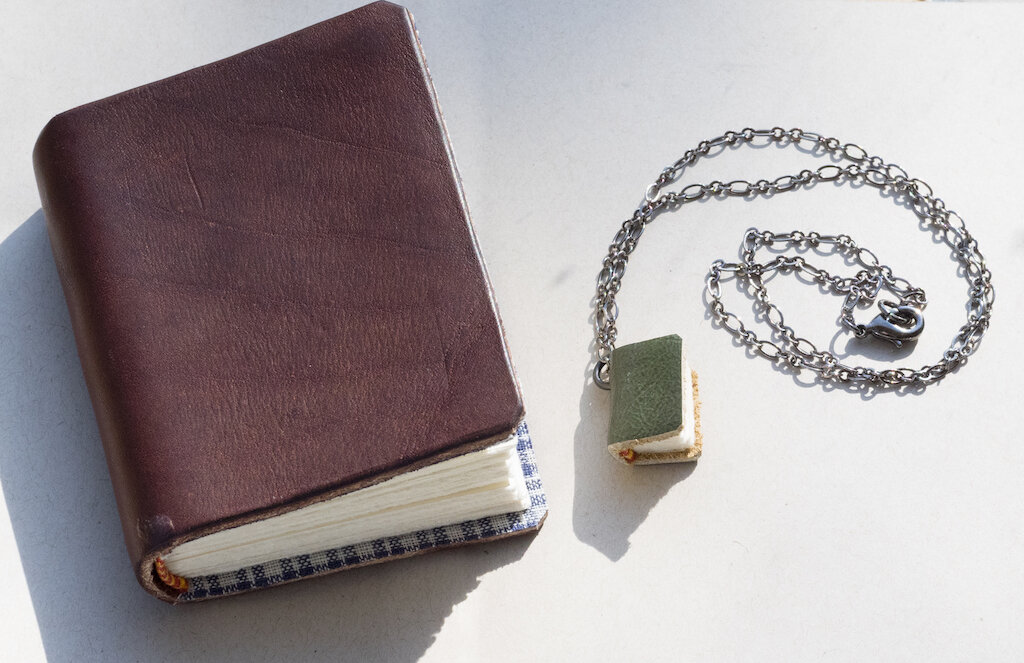
Peg and Awl Journal and Necklace

Because everything is handmade to order at Peg & Awl, I knew it would be several weeks before I would get my kit. I watched all their video tutorials on bookbinding, and I thought, "Okay. I can't wait. I have to try this."

First, I decided to make a miniature book, thinking that smaller might be easier (um . . . wrong). I found this instructional on the Internet, and gathered the materials to make my first book. I discovered that I only had one bent needle and one spool of ugly tan thread.

Peg and Awl Bent Needle

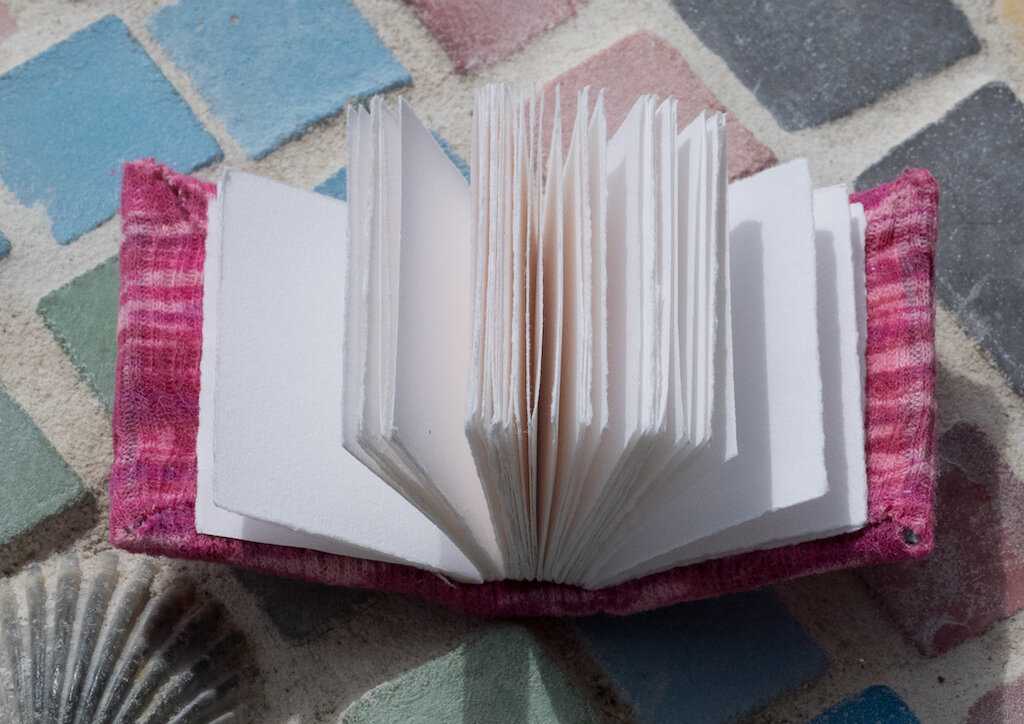
Undeterred, I cut out tiny leaves of Neenah Classic Crest Avon Brilliant White paper I purchased long ago from a seller on FPN. Unfortunately, my cutting skills are poor, so the little signatures I created were pretty wonky. I poked holes in the signatures, clumsily threaded my needle, and began sewing. It went slow. I had a hard time seeing. I kept poking my fingers and bled on the paper. But in the end I had a teeny tiny book block. I cut out cardboard for the cover of the book, found an old shirt for material, and glued it all together. Voila! A wee little book! No, the paper wasn't straight and there was blood on some pages, but it was a book and _I_ had made it.

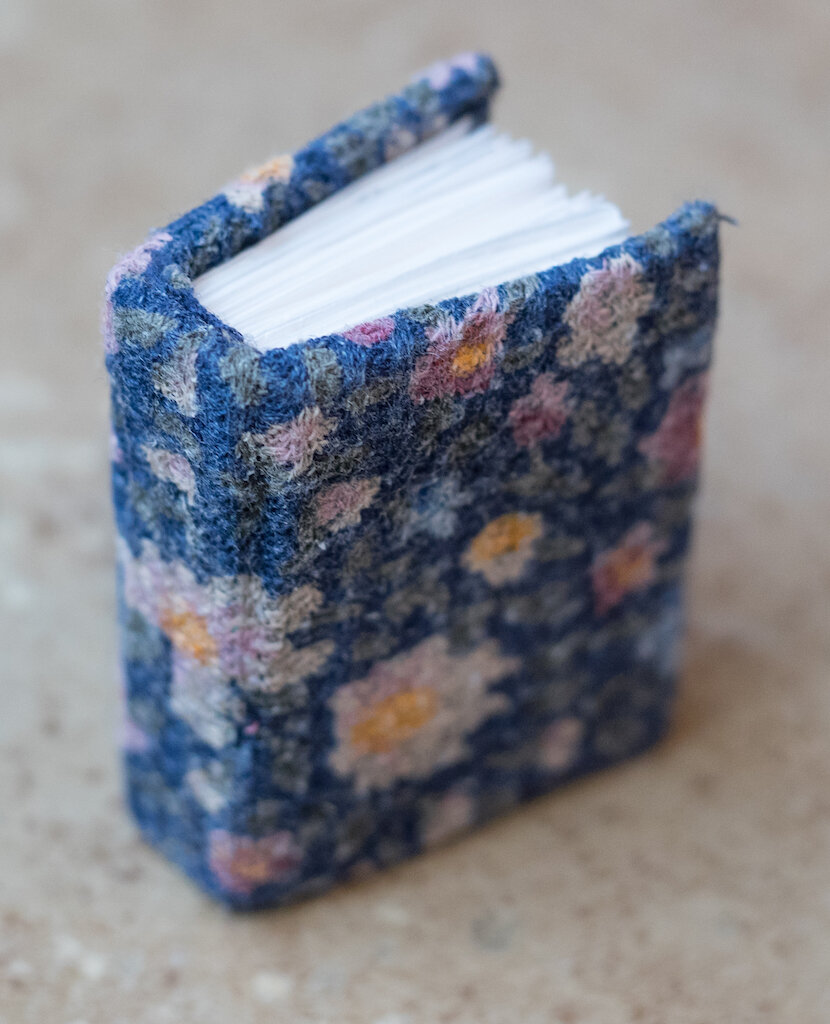
Peg and Awl Frist Mini Book
First Mini Book 2
First Mini Book 3

My appetite whetted, I watched the Peg & Awl instructional videos again, and decided to make my next book using their approach. Yes, this was the exact kind of book I would be making with my kit, but I wanted to give it a shot.

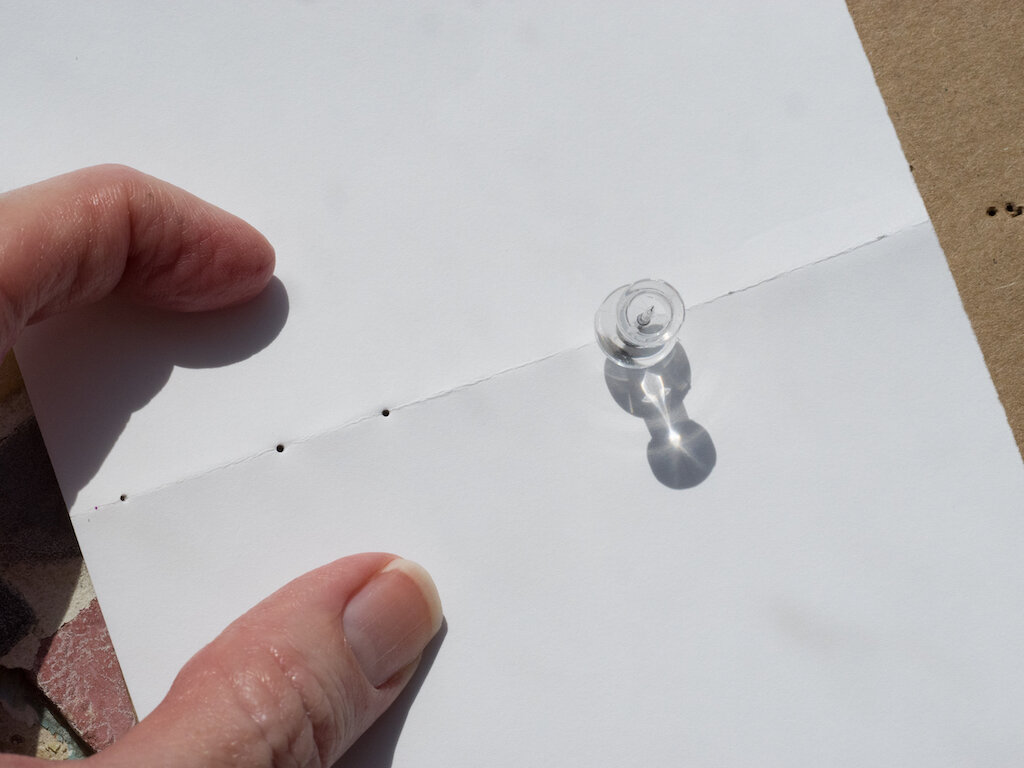
This time, instead of cutting my paper, I folded and tore it to create leaves in my desired size.

Folded Paper

I was struck by how uniform the pages were--I'll never use scissors again! I poked my holes, threaded my bent needle, cut out some "tapes" from an old shirt, and set to work.
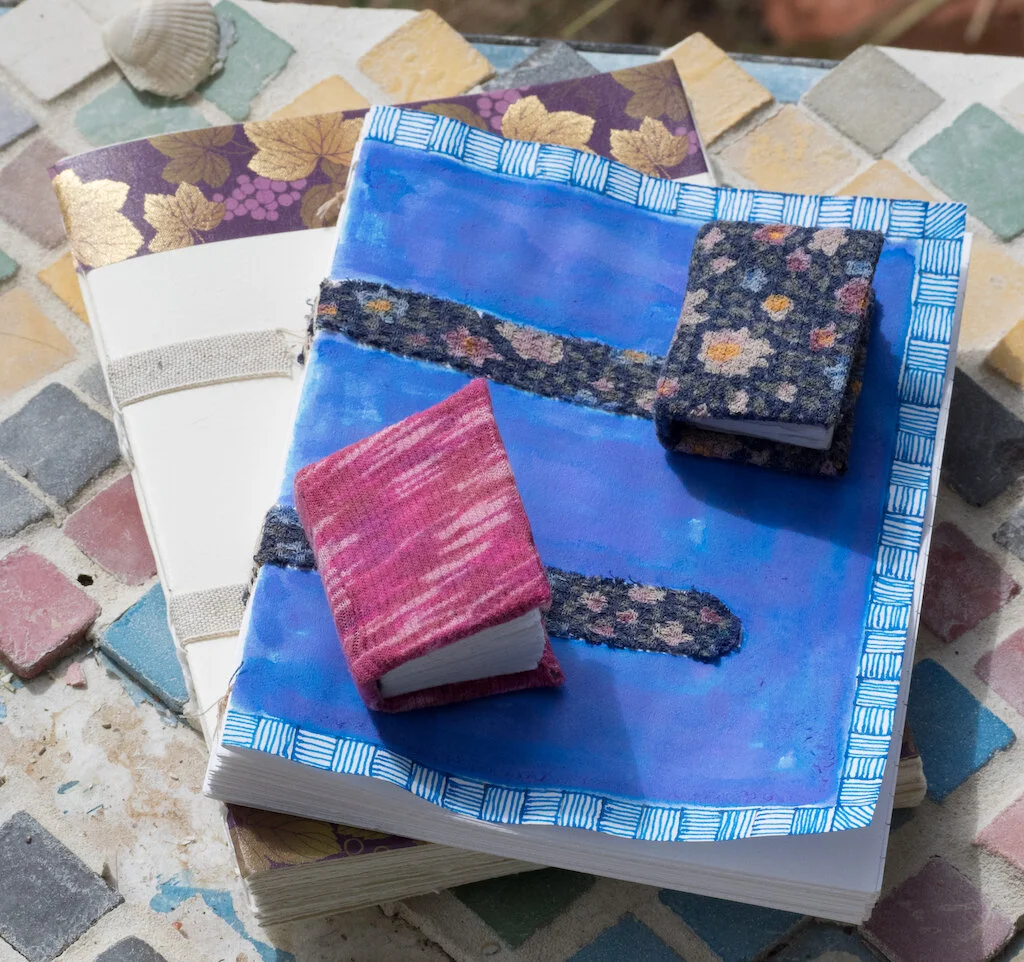
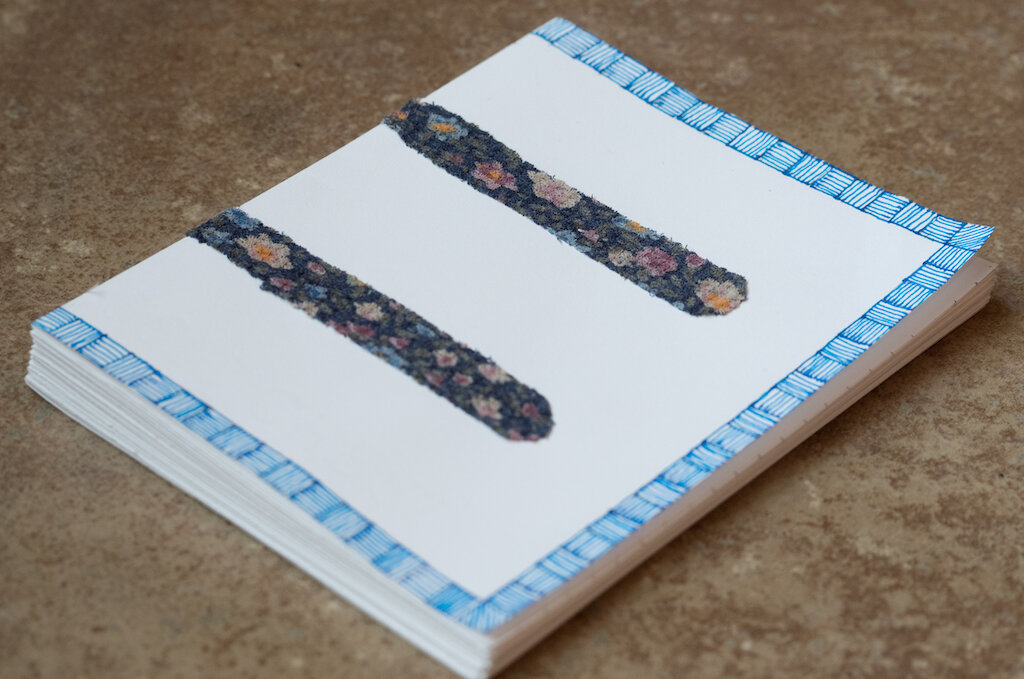
This is a new book I'm working on.

This is a new book I'm working on.

I made some mistakes along the way, and bled on my paper again, but at the end, I had a beautiful, simple book with cool stitching and a plain cover (which I later decorated).

Bloody Pages
Sewn Book 1
Sewn Book 2
Sewn Book 3

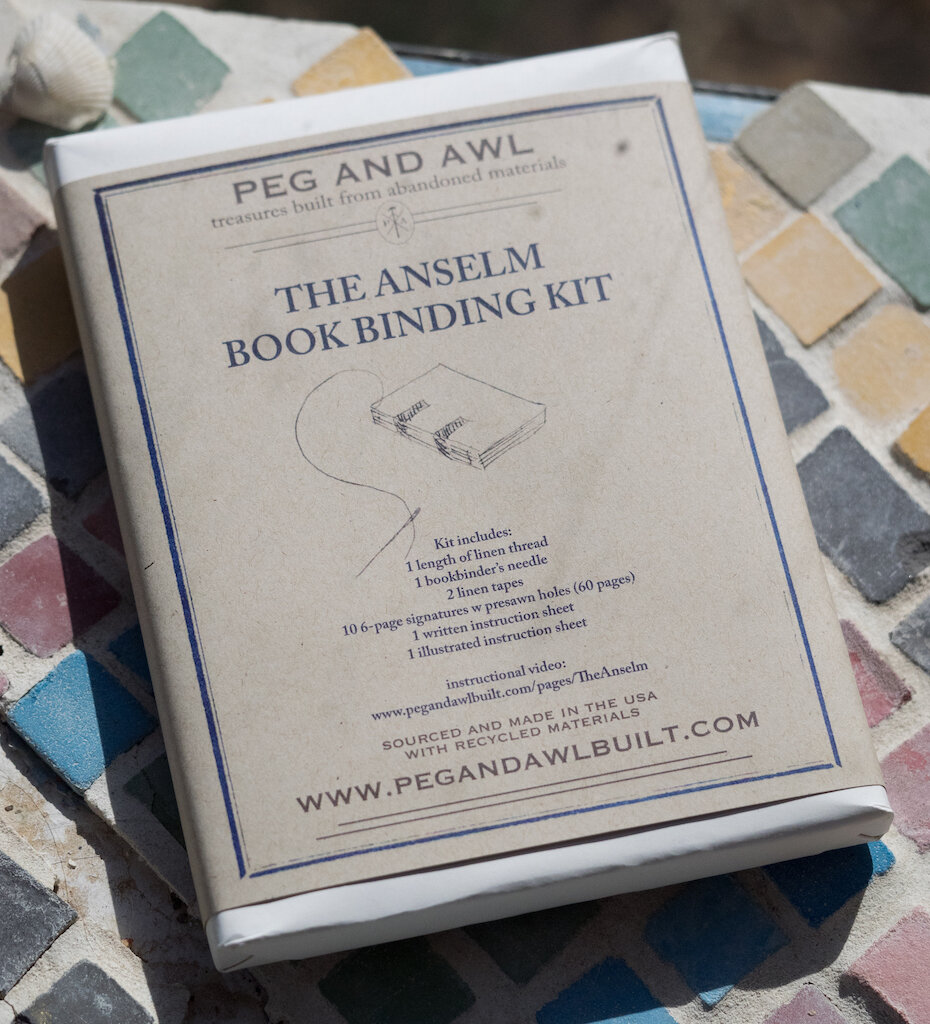
My Peg & Awl kit arrived this Tuesday. I was _so_ excited, I opened it immediately and started working!
Peg and Awl Packaging

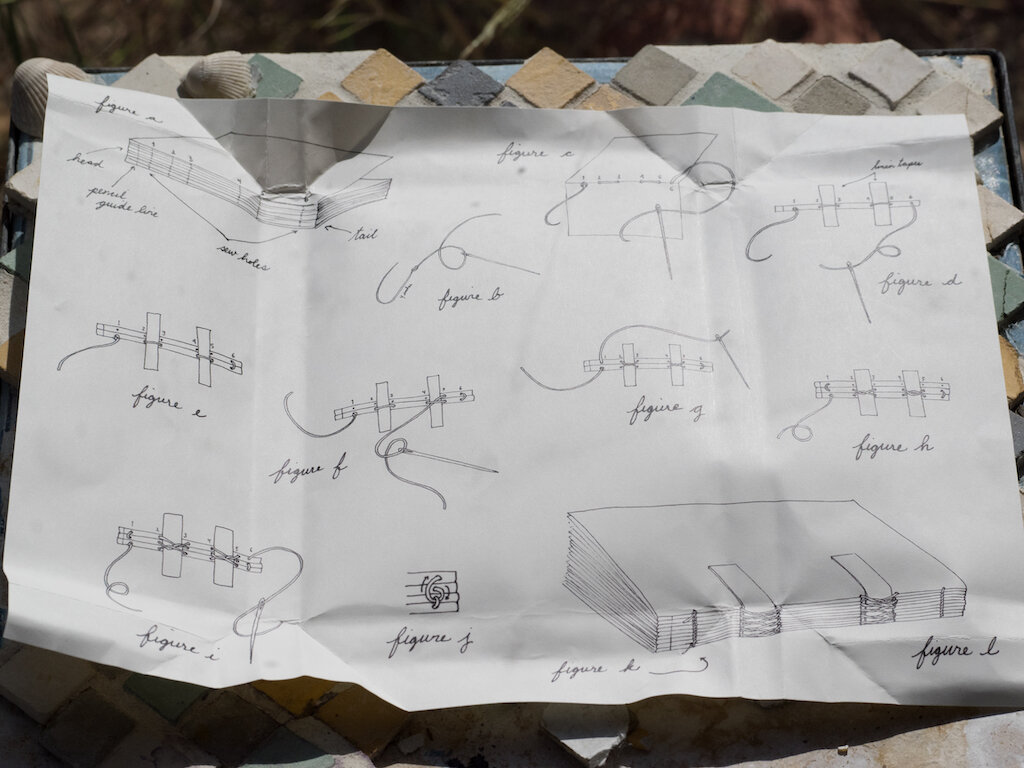
Inside were step-by-step, illustrated instructions, a book-binding needle (with a blunt end--no more bloody fingers!), French linen thread, two linen tapes, and Strathmore drawing paper, pre-folded and with holes already punched.
Peg and Awl Instructions
Peg and Awl  The Kit
Peg and Awl Needle
Peg and Awl Punched holes

Since I had already made one book using the Peg & Awl method, the kit book was amazingly simple. Not only were the holes already punched and lined up, but I discovered why bookbinders use linen thread--it's thick and easy to work with. I sewed up my book in less than thirty minutes and glued my tapes down.
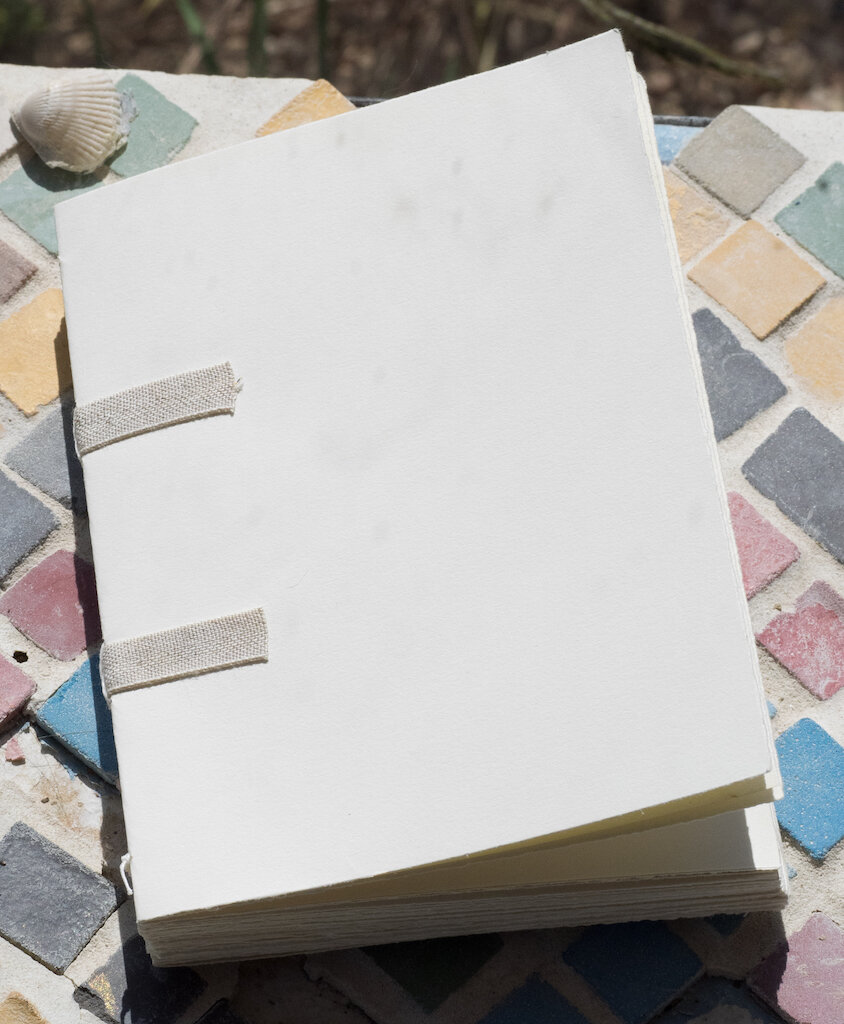
Peg and Awl Book 1
Peg and Awl Book 2
Peg and Awl Book 3

The next morning I decided to add some pretty washi tape to add some color to the cover. My third book was complete!

Completed Peg and Awl Book

With my new bookbinding needle in hand, I decided to try another miniature book using the tearing method to make the leaves. This one came together in record time, and the pages look wonderful!

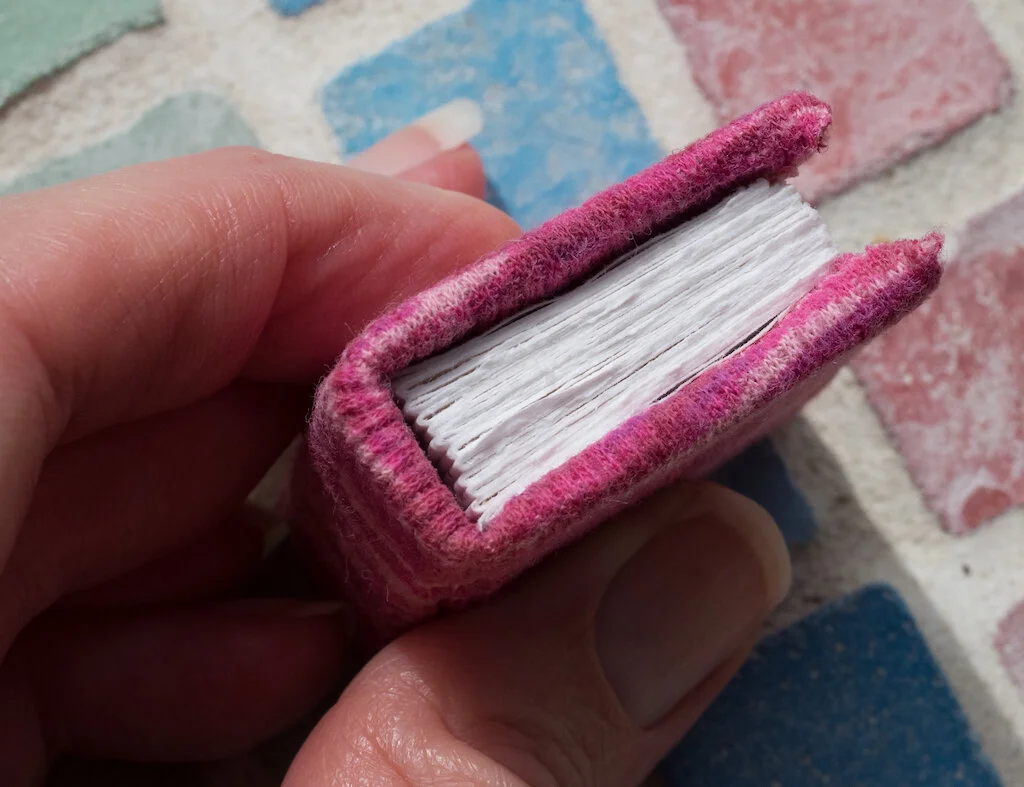
Second Mini Book 1
Second Mini Book 2
Second Mini Book 3

I've ordered more bookbinding supplies and plan to make lots of books over the next few months. Honestly, it's all I want to do right now. This is such a tactile craft, tearing your paper, poking your holes, cutting your tapes, sewing the signatures together, and dipping your finger in glue. Of course, my books are simple and nothing like the ones on Lotus Blu Art. But, this is just the beginning of my bookbinding journey. I'm excited to learn more techniques and come up with a style all my own.

You can purchase the Peg & Awl Anselm Bookbinding Kit in two sizes. The 6" Kit is $34.00, and the 4" Kit is $24.00. I recommend watching all the videos on their website before beginning.

(I purchased the Peg & Awl Bookbinding Kit with my own funds and all the other materials used in the photos above I had on hand.)


Enjoy reading The Pen Addict? Then consider becoming a member to receive additional weekly content, giveaways, and discounts in The Pen Addict shop. Plus, you support me and the site directly, for which I am very grateful.

Membership starts at just $5/month, with a discounted annual option available. To find out more about membership click here and join us!
Peg and Awl
Posted on October 16, 2020 and filed under Bookbinding, Peg and Awl.

The Pen Addict Podcast: Episode 432 - Blacklight Poster Pens

Brad Bob Cary

News that Bob Johnson, owner of the DC Fountain Pen Supershow, passed away last month was shared this week. Myke and I reminisced, and I shared a couple of my favorite Bob stories, including how this picture above came to be. Huge thanks to Cary at Fountain Pen Day for sharing this picture!

Myke and I also discuss the latest on Sailor’s acquisition, and my newfound appreciation for Benu Pens.

Show Notes & Download Links

This episode of The Pen Addict is sponsored by:

Squarespace: Make your next move. Enter offer code PENADDICT at checkout to get 10% off your first purchase.

Posted on October 15, 2020 and filed under Podcast.

My Journey Through the Mechanical Keyboard World So Far

(Jeff Abbott is a regular contributor at The Pen Addict. You can find more from Jeff online at Draft Evolution and Twitter.)

As I've mentioned in a couple of otherposts, the world of stationery and fountain pens is not an enigma. There are plenty of other vibrant, niche communities out there, and I'm sure many of us are part of them as well. What makes stationery so much fun is the ability to customize and individualize things and then share them with other like-minded individuals who also enjoy the same things. In other cases, it's really interesting and mind-opening to learn more about a system or product that someone loves even if you're not interested in it for yourself. In so many ways, it's the same attractions that I've found in the world of mechanical keyboards.

In the same way that most people who discover the vast world of stationery have no idea what they like at the beginning, keyboards are similar. You have to jump in to try things out and make mistakes before you start to hone in on what really captures your interest. And, well, after you find that, you're done for! I alluded to this in the past, but most people don't go from deciding to try a mechanical keyboard and land on custom building their own and using custom firmware to control it. No — most people start at whatever seems the most accessible to them, which is likely something that looks familiar. This is exactly how I got into the keyboard hobby, and I thought it might be interesting to see my path along different keyboards while I really discovered what I liked.

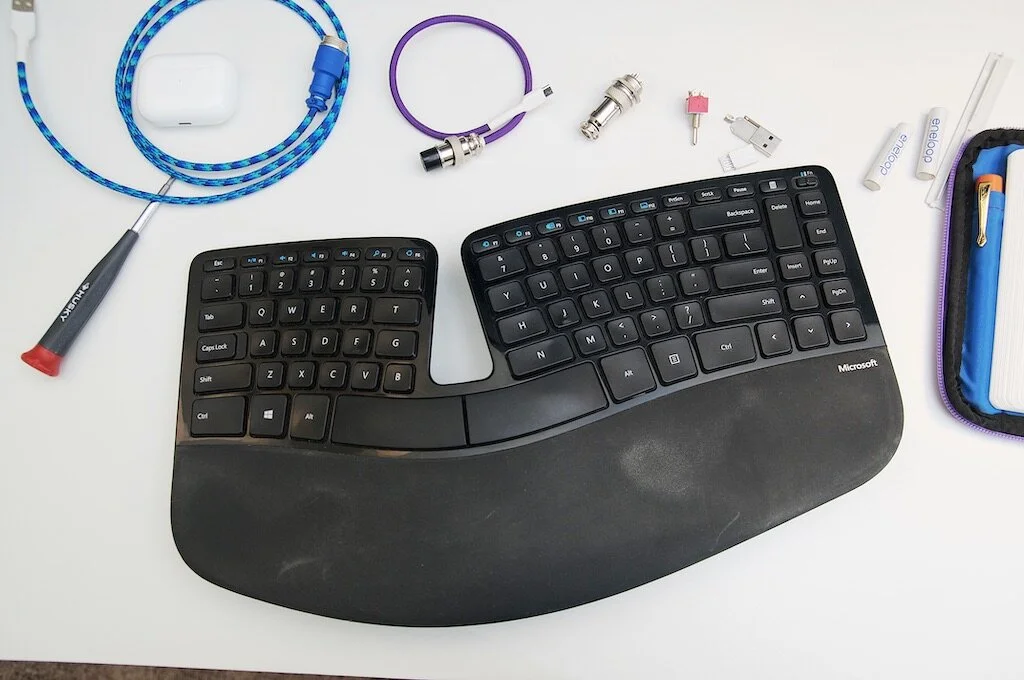
Before I start into my personal journey, you should also know I had some specific needs and interests. This started off as some mild (but annoying) wrist pain that developed about a year after I started a full-time desk job that involved lots of typing. A couple of my coworkers used those monstrosities offered by Microsoft, and I just didn't want to deal with that eyesore on my desk. After another year or two, the intense dislike for the aesthetic wore down as my wrists continued to complain, and I went ahead and purchased a Microsoft Natural Ergonomic 4000 in mid-2012. And that's where this journey starts for me — in an attempt to alleviate a blooming RSI situation and to prevent any further damage.

The Beast: Microsoft Natural Ergonomic 4000

I honestly don't remember how much I paid for this keyboard. I purchased it at an Office Max on my lunch break and viewed the whole thing with about as much excitement as someone purchasing a back or ankle brace from the pharmacy. Like many people who tried this keyboard back in the day, it took me at least a week or two to really get used to the slightly different layout of the keys. I didn't like the mushy feel of the keys, and that never changed. But, I did start to feel a lot more comfortable, and my wrist pain was pretty much gone after a few months of using this keyboard.

But, I'm a vain person and this eyesore just didn't belong on my desk. Unfortunately, there weren't many options in those days that looked any better. I decided to bear with it and be happy that my wrists were doing better — until I discovered mechanical keyboards.

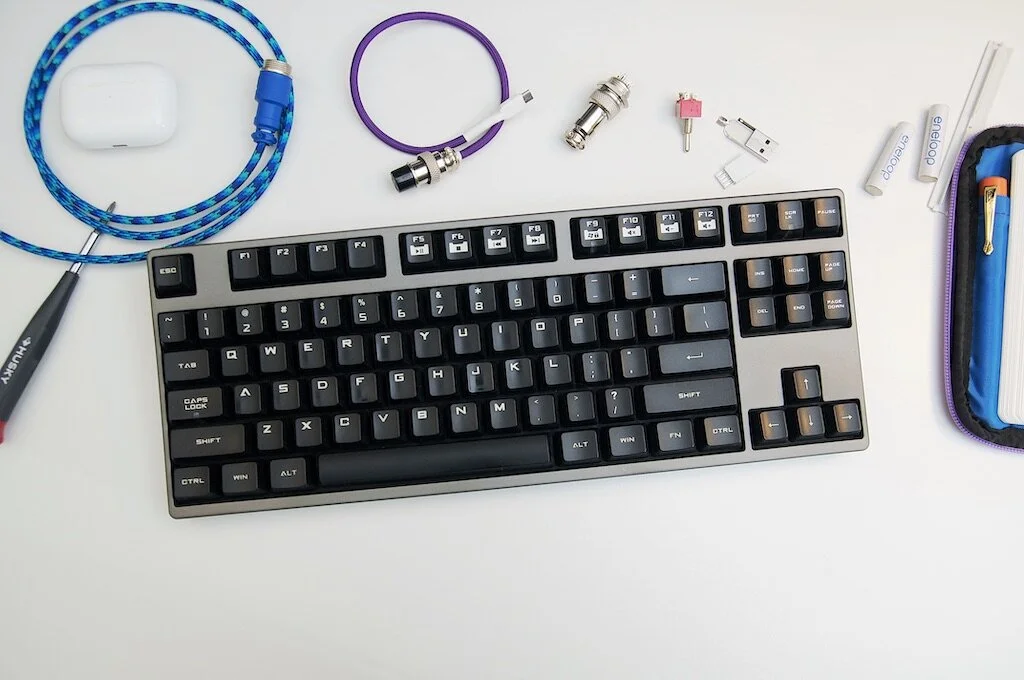
CoolerMaster Quick Fire

CoolerMaster Quick Fire

After looking up mechanical keyboards to understand what they meant (because aren't all keyboards mechanical??), I quickly dismissed them due to the pretentious and expensive stigma that comes with new things that you know nothing about. After reading and listening to people talk about how these keyboards differ from the widely-available options we're all used to, I become more and more intrigued. In mid-2013, I bit the bullet and purchased a CoolerMaster Quick Fire Rapid with MX Cherry Blue switches. This tenkeyless model was so much smaller than that massive ergonomic board, and the switches were so SATISFYING. This is where I knew I was a goner. In almost no time, I took this keyboard to work as my main workhouse, keeping the ergonomic keyboard in a drawer in case any RSI issues flared up. If any of my coworkers from that job happen to be reading this: I'm really sorry for what I put you all through. That keyboard sounded like a metallic machine gun, and my job required lots of typing. But the keys felt so good. So tactile and crisp. In the same way that I love writing with a perfectly tuned nib and a smooth ink that lays down crisp lines on the page.

After moving to a different job where I worked 99% remotely, I quickly discovered that my beloved MX Cherry Blues just weren't going to cut it since I was on calls for at least half of my day. I didn't want to be "that guy" being called out for typing too loud, so I looked for other options.

Microsoft Sculpt Ergo

Microsoft Sculpt Ergo

Between the time that I retired the Ergonomic 4000 and mid-2014, Microsoft had released a redesigned and modernized version of their ergonomic keyboard: the Sculpt Ergo. I picked one up because I knew it would be quiet enough for being on calls, and the ergonomic comfort was too good pass up. That keyboard is still one of my favorites, scissor-switch keys and all. I used that for several years and still get it out every now and again. It's comfortable, wireless, and just an overall great keyboard. The only downside is the weird function key toggle switch. I used this keyboard for several years before making a choice to try a new category: mechanical ergonomic keyboards.

Matias Ergo Pro

Matias Ergo Pro

In recent years, the mechanical keyboard market was gaining more traction with all the increased buzz and popularity. This was great because it meant more people were creating new and interesting products (very similar to the custom fountain pen world!), and I decided to take a shot with the Matias Ergo Pro. I bought this directly from Matias and fell in love with it almost immediately. The key switches were quiet enough for calls, the board was split in two so my wrists could stay happy, and it was just so nice to type on. The ability to tent the halves so that my wrists weren't perpendicular to the table top was so helpful.

It was fantastic...until it wasn't. About six months in, the space key started repeating itself. After searching for this issue, I quickly learned that it's referred to as "key chatter" and isn't unheard of with mechanical key switches. Quality issues happen, right? Matias was quick to respond, and they sent me a completely new keyboard free of charge. They had apparently used a bad batch of switches and didn't catch it before they shipped out. Great! Another six months, and now the 'b' and 's' keys started chattering on this new board. Once again, Matias was fantastic and sent me another keyboard half to fix the issue. On the last month of the year-long warranty, yet another key stopped working, and Matias shipped me yet another keyboard, free of charge.

Another couple of key switches failed, but since the keyboard was no longer under warranty, I took matters into my own hands. I learned about circuit boards and soldering, and practiced removing switches from one of the extra Matias keyboards. By cannibalizing the other keyboard parts, I was able to replace problematic keys in a matter of an hour or two. After replacing about 3 or 4 switches, I've never had any problems with it since! And, by fixing other issues with other switches, I now have two complete keyboards, plus an extra half of one with plenty of good switches on it. Yay!

I never hesitate to recommend Matias when someone asks. They were so helpful and I really believe the make excellent products. Every company gets hit by unexpected quality issues, and it's how they respond that really counts. Matias makes their own switches (they are modeled after the old ALPS switches), and they completely owned the problem and sent me replacement parts for no charge. In my book, they went above and beyond and I'd happily buy more of their products and recommend people to them. But, my appetite for trying more keyboards and switches continued to grow.

Ducky One Side Print TKL

Ducky One Side Print TKL

I'd been hearing a lot about how great MX Cherry Clear switches were from several people in my circles, and I decided to give them a try. I didn't love the Ducky One TKL design, but it was affordable and a good option for trying out a new keyswitch. I ordered this from MechanicalKeyboards.com and was really excited to start using it when it arrived. Unfortunately, I discovered after a few weeks that the extra force required to press these keys, plus the old straight layout, caused my RSI to flair up. Back to the Matias! Besides that, the Ducky One is a solid keyboard that I'd whole-heartedly recommend as a starter keyboard. They offer a large selection of switch options and fantastic build quality. They even come with some purple accent keys! The space-theme space bar you see on mine is something I ordered from Drop.com back in 2018.

OLKB Planck

OLKB Planck

The OLKB Planck is when things started to get serious between myself and mechanical keyboards. This is my "point of no return," and I regret nothing. After being on Massdrop for 3 years and buying nothing, this keyboard was my first purchase from them. When I bought it in late 2018, the estimated arrival date was April 2019. After a short manufacturing delay, I received the kit in June 2019. That's right — this keyboard was a kit! Everything I needed was included, and the PCB was already outfitted with "hot swap" sockets so that no soldering was needed. After a couple of hours of snapping and screwing everything into place, I had a working keyboard. It was such an enjoyable experience, and I could tell I was hooked because I was already planning my next build only hours after finishing this one.

The green aluminum case and modern key caps on this keyboard just make my day when I look at it. I went with Gateron Brown switches with this board, and couldn't be happier. I also learned what a difference it makes in how a keyboard feels whether it uses a plastic versus metal switch plate. In my case, the Planck uses a stainless steel plate, giving this thing an incredibly sturdy feel and dense sound.

The other main selling point of this keyboard was the unique layout — "ortholinear." The way they explain this layout is simple. Our fingers are better at going up and down in straight lines instead of also moving left and right slightly to hit keys. There are also plenty of anecdotes about the staggered layout that you find on any standard keyboard as coming from the typewriter days, but I'm not sure how much of that is true or even relevant. What I can tell you from my own personal experience is that the ortholinear layout is so much better for my use. I'm never going back to an external keyboard that uses the standard staggered layout — at least not for very long.

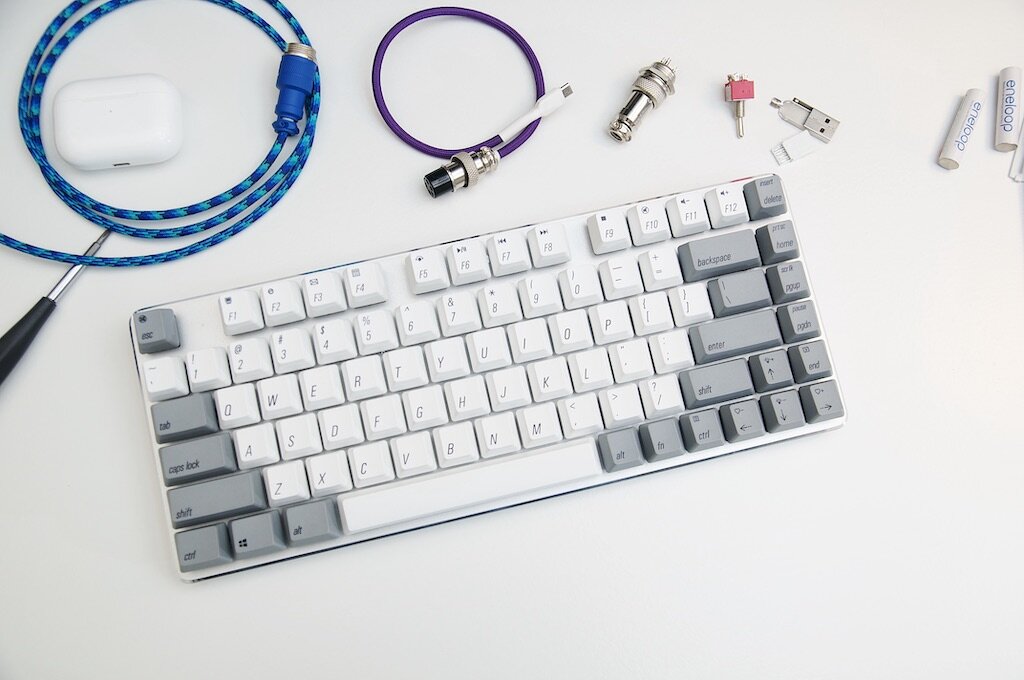
Magicforce 82-key V2

Magicforce 82-key V2

The Magicforce 82-key might be the closest thing I have to an "impulse buy" in terms of keyboards. The layout of this keyboard is similar to the popular Vortex Race 3 and Keychron K2, but at a slight discount (at least to the Race 3). I purchased this keyboard with MX Cherry Browns since I didn't own any keyboards with these switches yet. If I'd known how much I would love the Planck, I wouldn't have bought this keyboard. It's a great starter keyboard, and the layout is nice for a small footprint without sacrificing the dedicated function keys. If you're brand new to mechanical keyboards, it's still easier to recommend the Magicforce 68-key variant or Keychron K6 with some form of Gateron switches.

Keebio Levinson

Keebio Levinson

Ah, at last — the Keebio Nyquist/Levison. This is the current culmination of my interests and keyboard education so far. It's everything I love about the Planck, but split in two and fully customized. Unlike the Planck, the Levinson is not a kit. I ordered the PCB, switch plates, and cases from Keebio. The keycaps are the Big Bang MDA Ortho keycaps, but these are really difficult to find at this point. For this build, I went with Kailh Brown Box switches just to try something new. After acquiring all the parts, I spent a couple hours soldering all the switches to the PCB and assembling the rest of the case! This was so much fun, and it really set me up to do more with soldering in general. After a little practice, it's quite enjoyable.

After assembling the physical pieces of the keyboard, it was time to program it. By default, the Nyquist includes a top row of numbers for a total of five rows. I opted to remove a row to match the Planck layout. After breaking off a row from the PCBs (don't worry, they were designed to easily break off for just this reason), the keyboard magically became a Levinson. The included firmware on the stock keyboard mostly worked, but only the bare minimum. I used an open-source tool called QMK (the graphical web browser version) to program the keyboard. This isn't as intimidating as it sounds since there are pre-made templates for basically any keyboard that's been sold. For me, it was a matter of making some customizations to the different layers, saving it off, and then flashing it to the keyboard. After that, the keyboard was up and running!

Keebio Levinson Desk

I'd love to talk more about the power of using a keyboard that is easily programmable and that contains swappable layers, but that's an entire post of its own. Suffice it to say, you can program your keyboard to do certain things versus relying on your computer to remap keys, etc. This means that no matter what computer you plug into, your keyboard works the same across them all. The power!

Recently, I've been exploring the related hobby of custom-made USB cables. Like QMK, this is an entirely different topic, but one that you can't escape when talking about mechanical keyboards. The cool thing about custom cables is that you have as many options for colors as there are different paracord color combinations, and that's saying a lot.

Cables

Conclusion

If you've stuck with me this far, well done! This probably means you have a slippery slope of keyboard addiction ahead. The important thing is that you're having fun and learning about what you like and dislike along the way. And, if you're lucky, you'll meet some cool people that enjoy the same things.

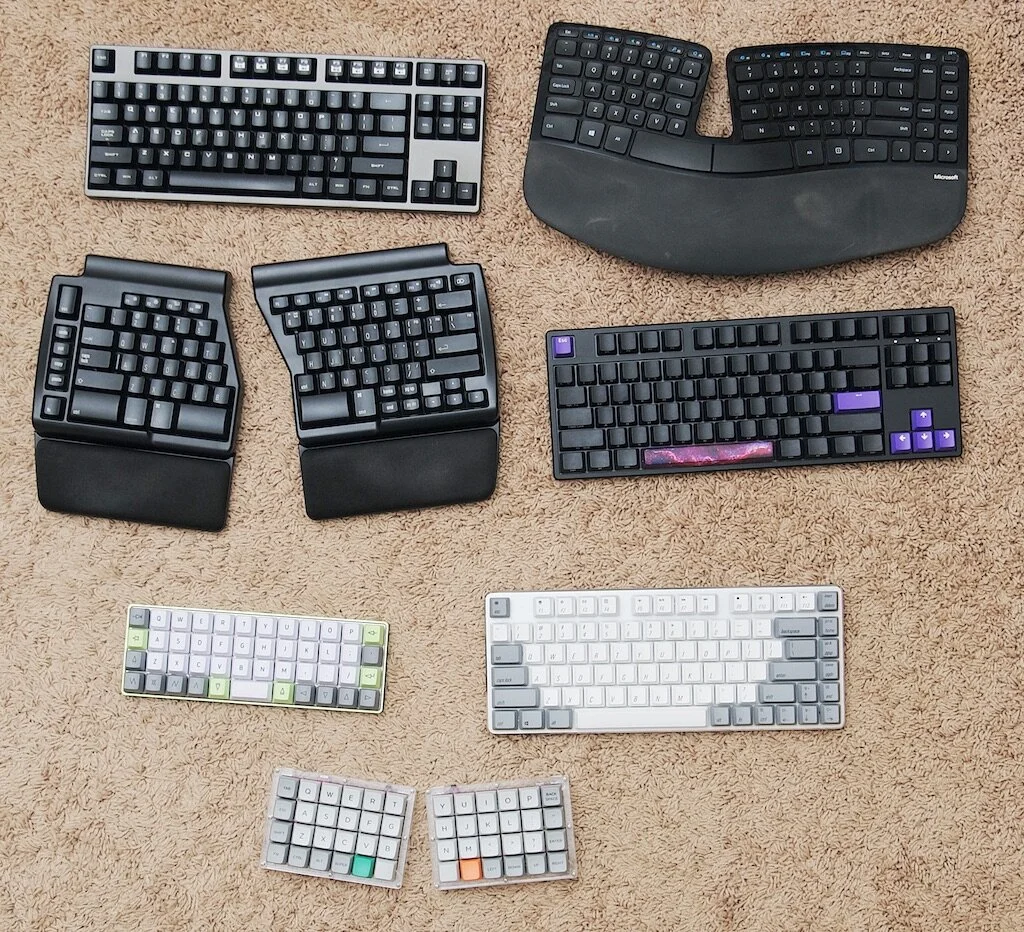
All the keebs

If you're looking for inspiration or just curious about what other crazy types of keyboards are out there, Instagram is the gateway drug. Beyond that, there are several reddit communities devoted to keyboards, but a good launching point is r/mechanicalkeyboards. Browsing through images, you'll notice that you're attracted to certain things, confused by others, and down-right repulsed by others. Learn about as much as you can! Something that looks silly or weird from the start might turn out to be your next favorite hobby or interest.

Posted on October 14, 2020 and filed under Mechanical Keyboards.